

By Team Cocoriko on Feb 4, 2026 3:50:32 PM
Follow these steps to add and remove editors. To do this, you must be an administrator of your platform.
Navigate to admin.v3.cocoriko.org and connect as an administrator
Click on "Consultations"
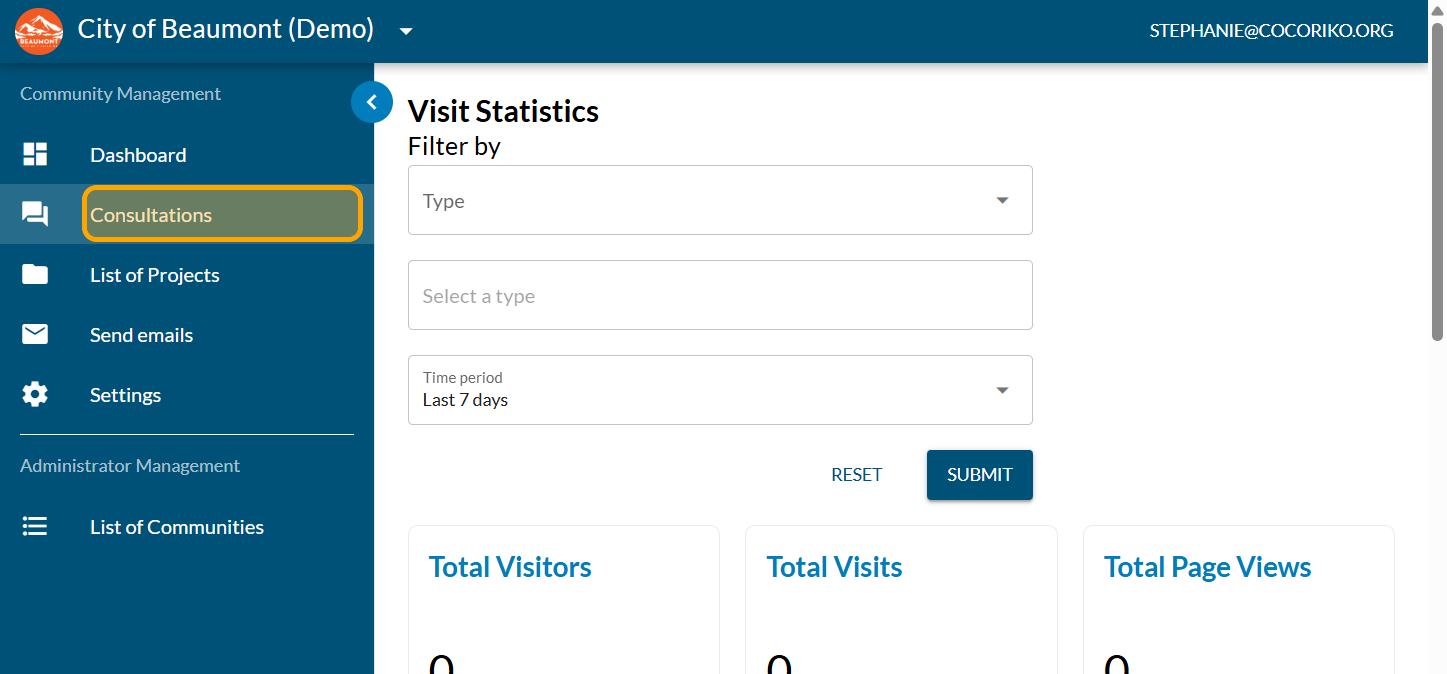
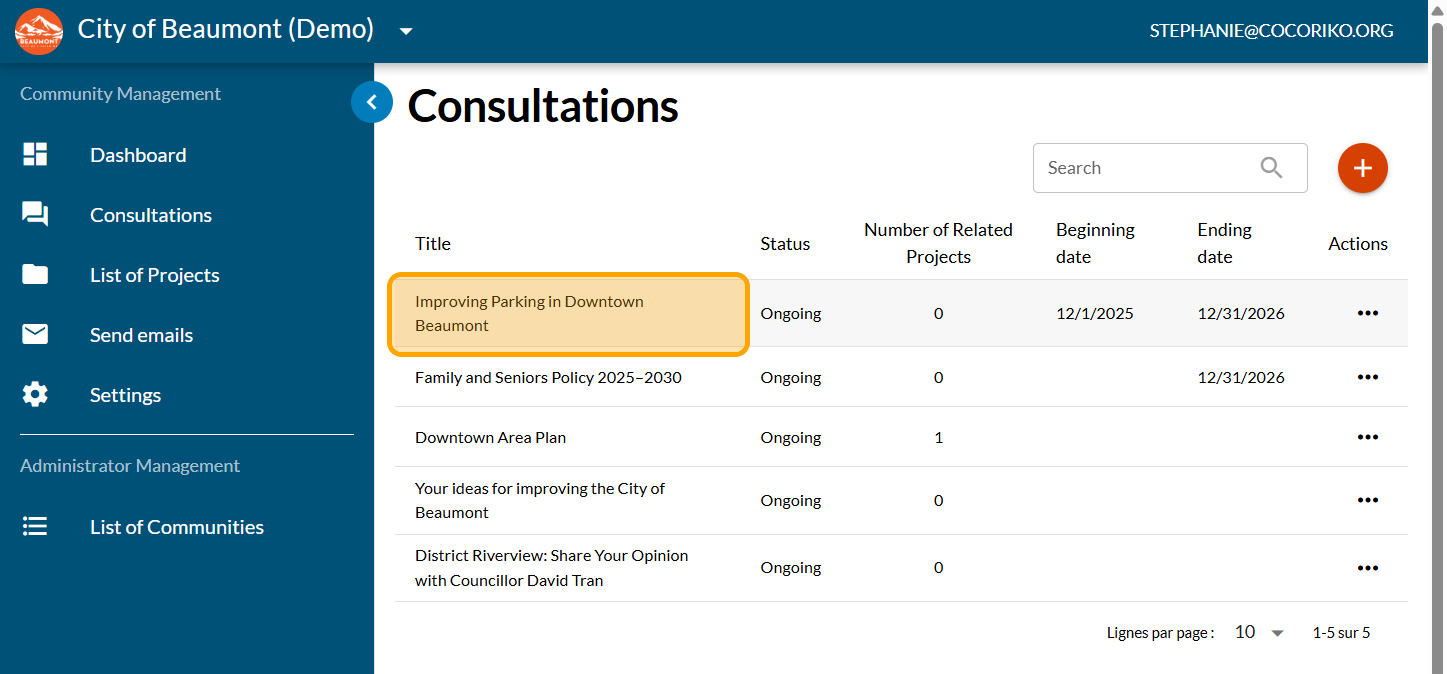
Click on a consultation
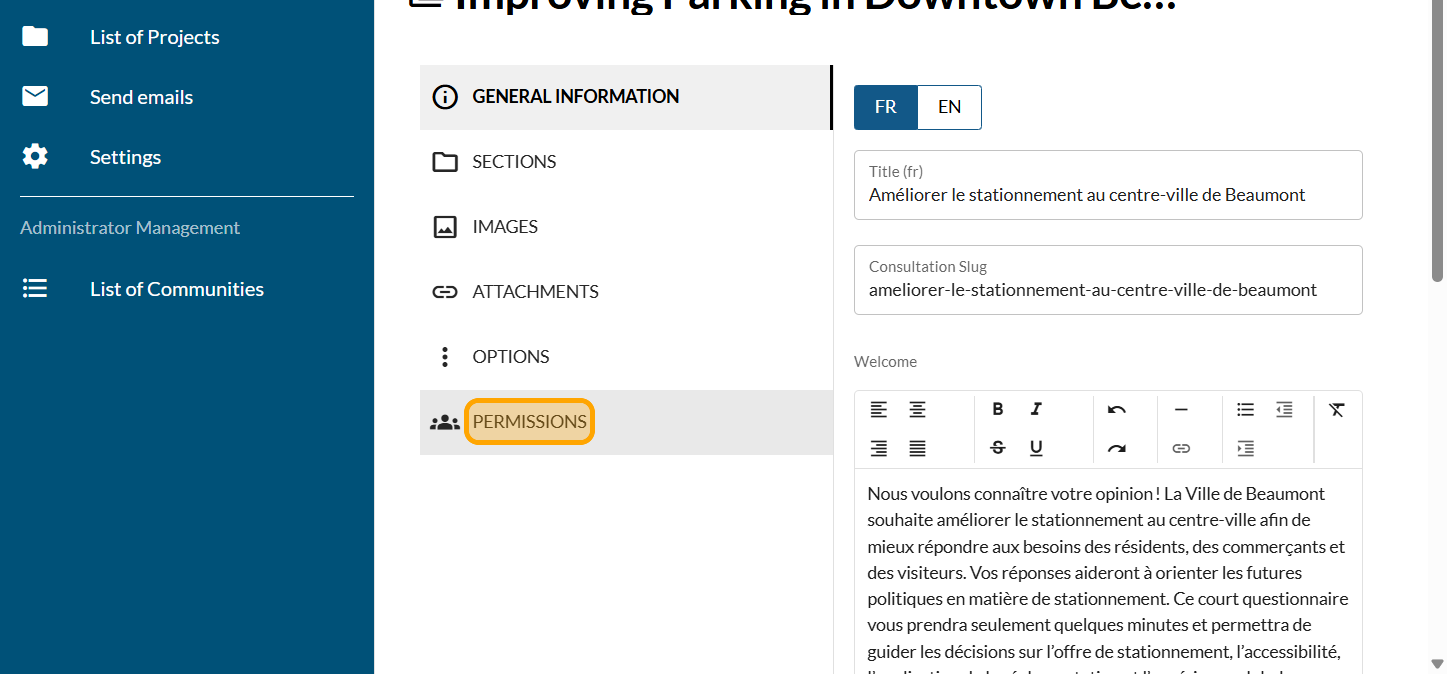
Click on "PERMISSIONS"
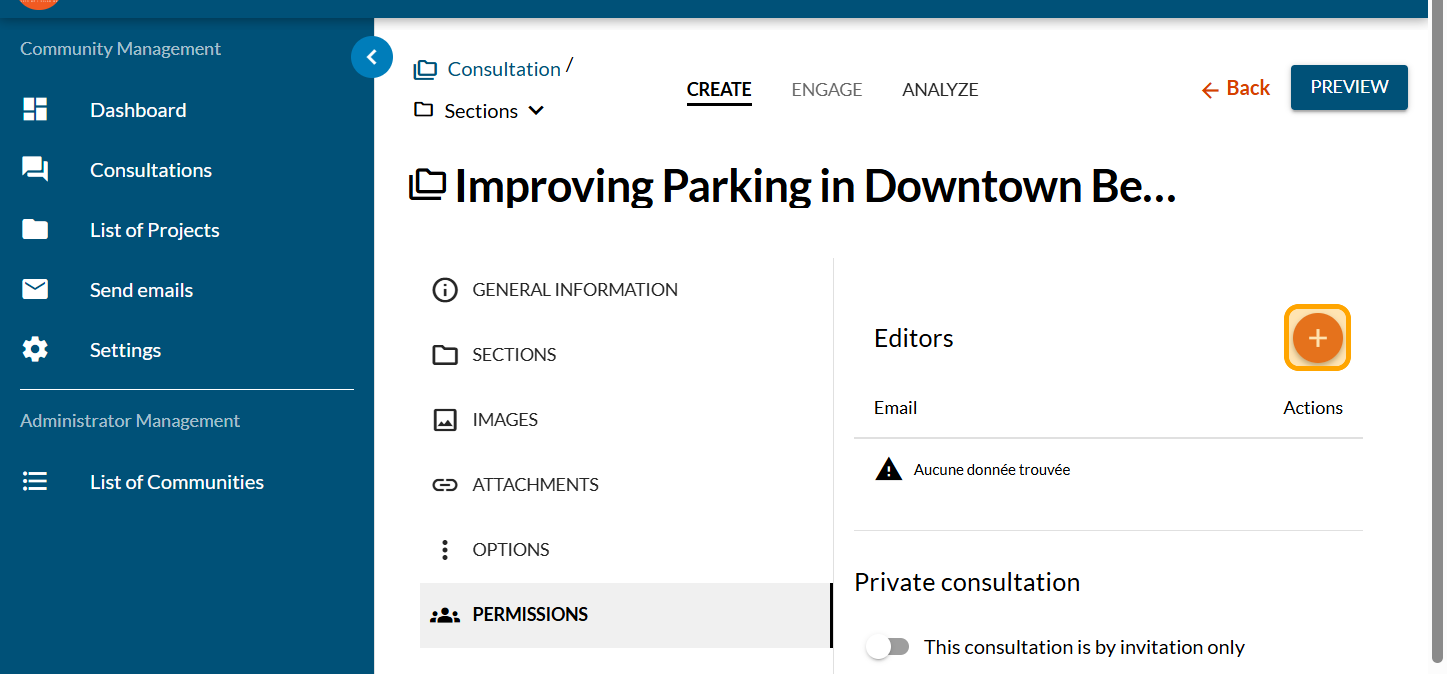
Click on the PLUS sign
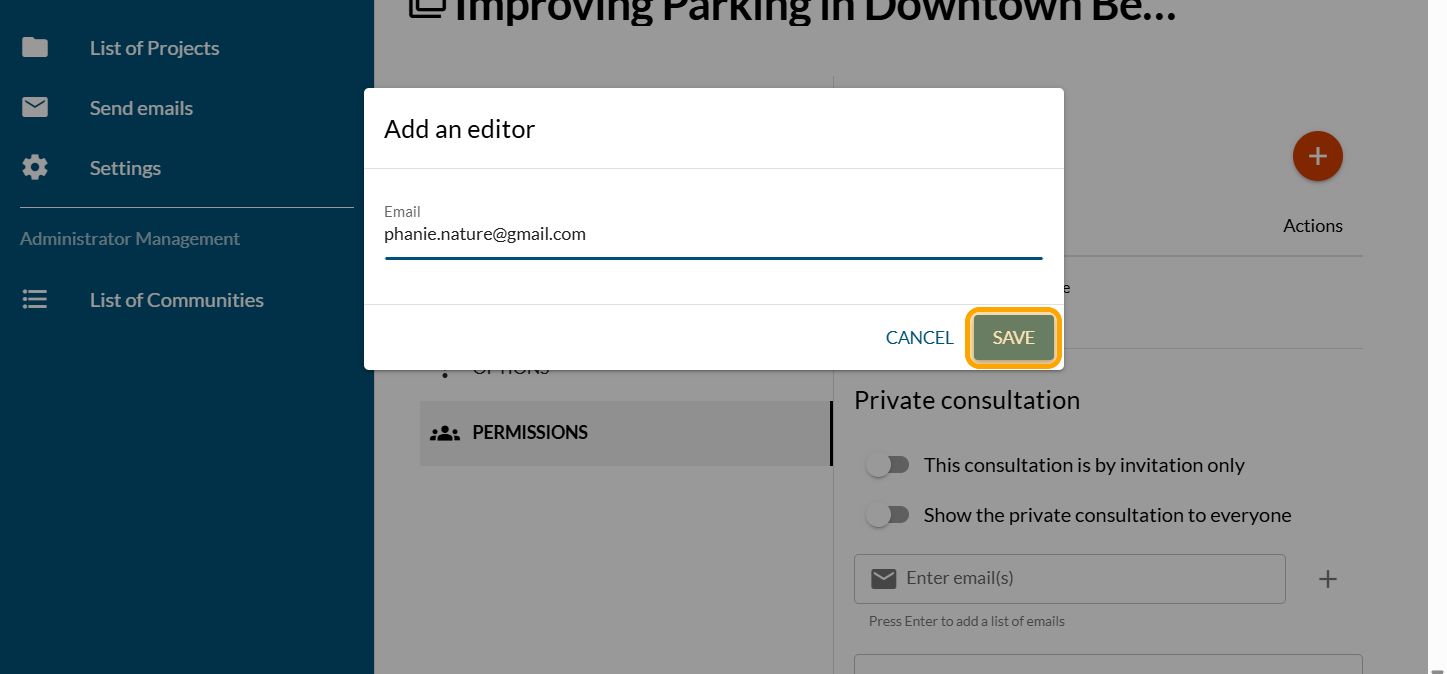
Enter the editor email and click on "SAVE"
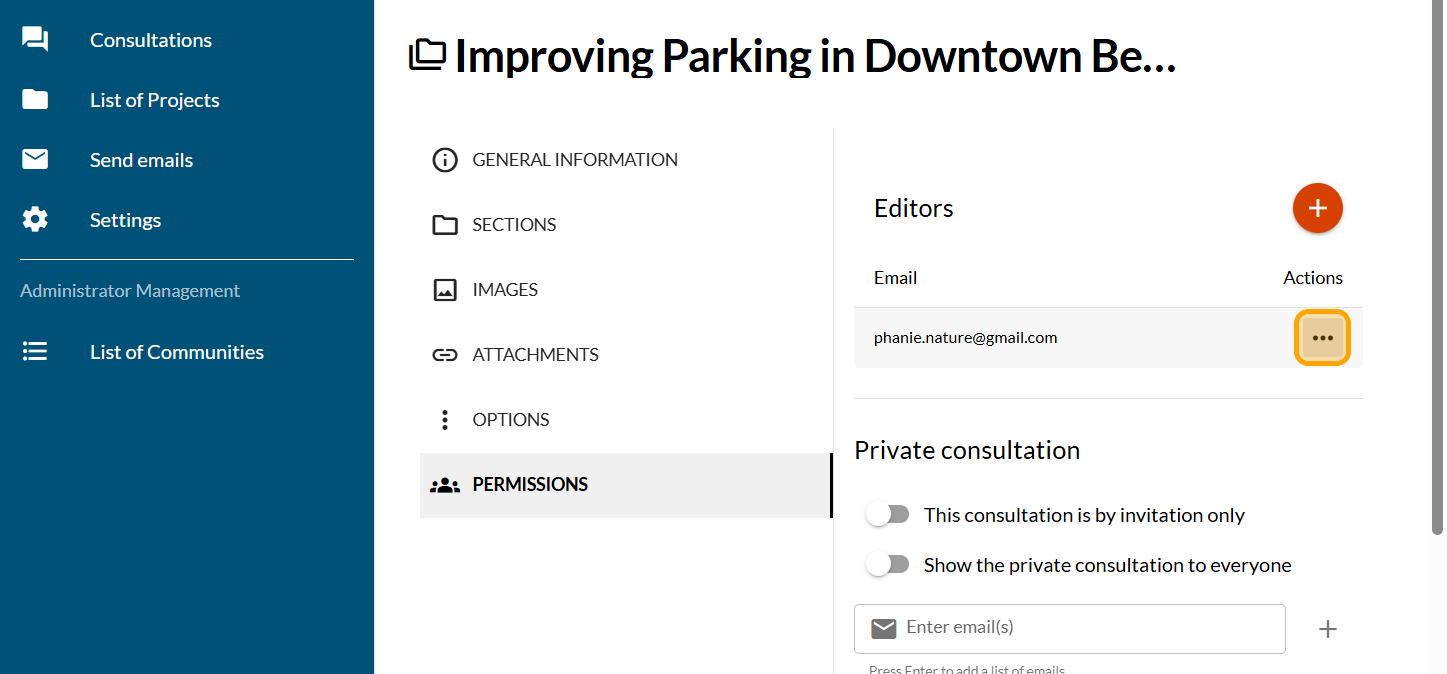
To remove an editor, click on the three dots under Actions
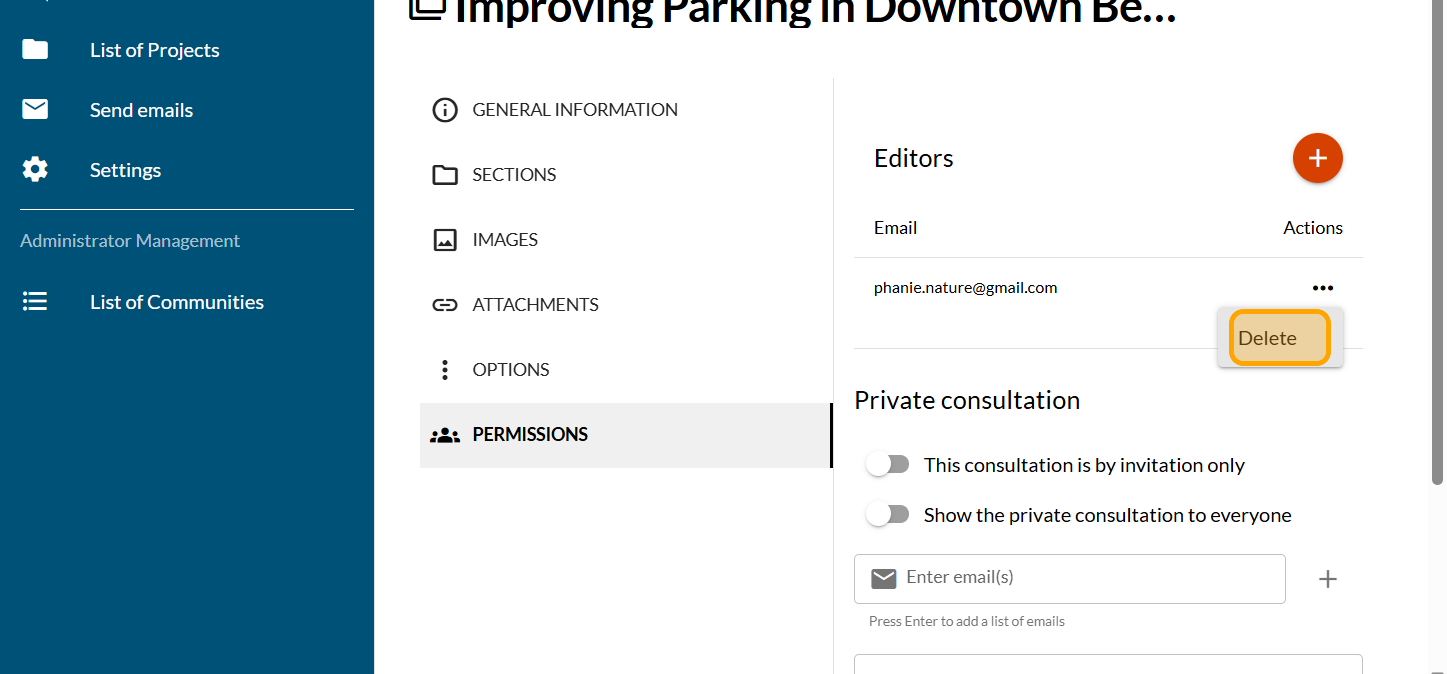
Click on "Delete"
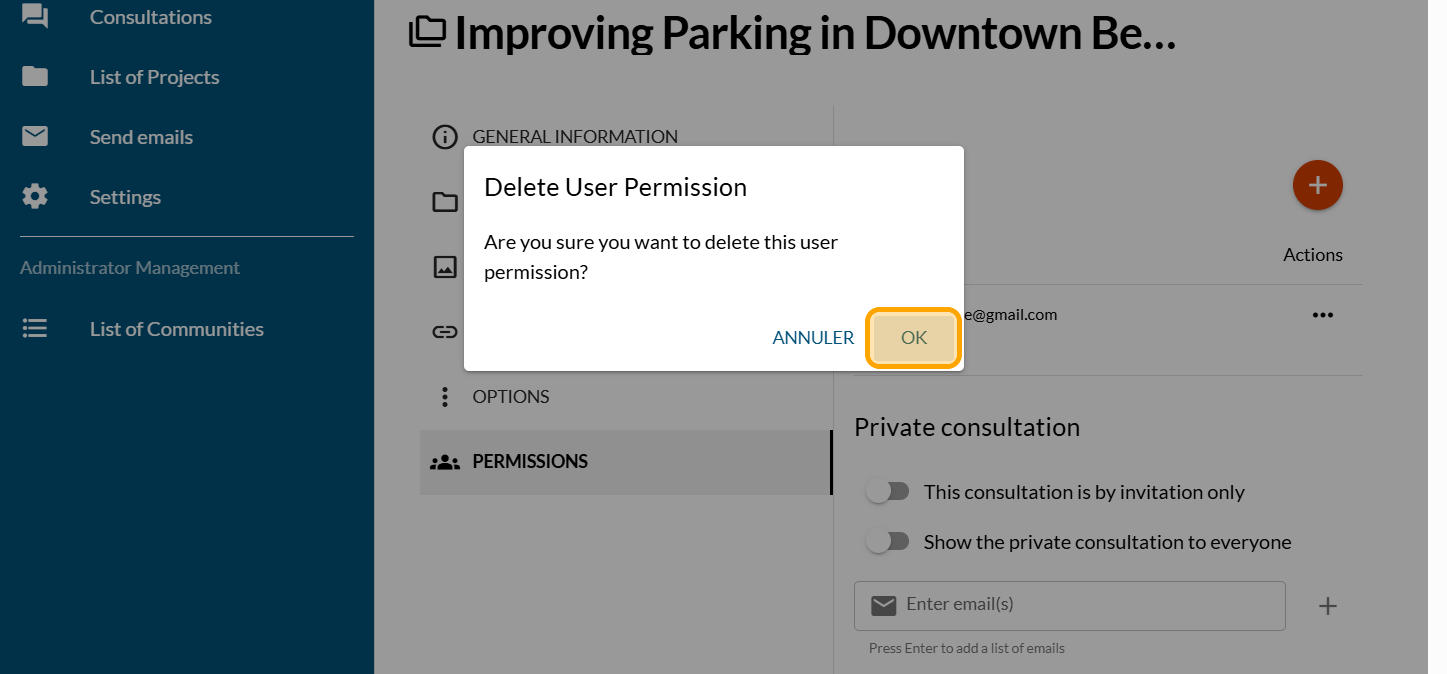
Click on "OK"
Share this
Add the frequently asked questions (FAQ) to a project

Add the frequently asked questions (FAQ) to a project
Develop a set of questions and answers to address the key qu …
Apr 14, 2026 10:06:46 AM
3
min read
Create and configure a consultation

Create and configure a consultation
Follow this guide to get your consultation off to a good sta …
Feb 4, 2026 3:41:04 PM
3
min read
Sending an Email via Cocoriko
Sending an Email via Cocoriko
This guide helps you create and send a mailing campaign.
Feb 4, 2026 3:46:19 PM
3
min read